
A phone mount should make driving easier. Instead, a weak mount can become a daily source of frustration. Your iPhone slips during a turn, the vent clip droops, the suction cup releases in hot weather, or the entire assembly starts wobbling over time.
These failures are rarely random. Most phone mounts fall because one part of the system is not strong enough for the phone, vehicle, road conditions, or climate. The good news is that each problem has a practical solution.
This guide explains why phone mounts fail and how to choose a more stable setup for daily driving, delivery work, rideshare, fleet vehicles, motorcycles, and demanding mobile work.
Start With the Weakest Link
A phone mount has several components working together:
- The phone-to-mount connection
- The mounting base
- The arm
- The ball joint
- The holder or charging head
- The installation surface
If any one of these parts is undersized, worn, poorly matched, or made from low-grade materials, the phone can fall even when the rest of the mount is secure.
Before replacing the entire setup, identify where the movement begins. Does the phone separate from the magnet? Does the vent move? Is the suction cup peeling away? Does the arm sag? The answer points directly to the right fix.
1. The Magnet Is Too Weak
Why It Happens
Magnetic mounts depend on consistent holding force. A weak magnet may hold your phone while parked, but release it when the vehicle hits a pothole, brakes suddenly, or takes a sharp turn.
The phone case can also affect performance. Thick cases, wallet cases, metal accessories, and poorly aligned magnetic rings create distance between the phone and the mount. That reduces magnetic strength and increases the leverage placed on the connection.
Large iPhone models and rugged cases add even more weight. A small magnet may not provide enough support for a heavier phone on rough roads.
How to Fix It
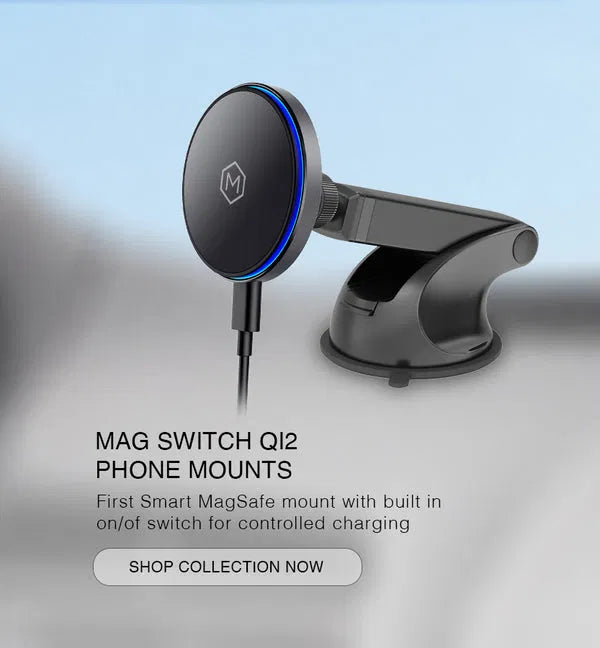
Choose a genuine MagSafe-compatible or Qi2 magnetic mount with high-strength neodymium magnets. Mighty Mount’s MagSwitch Qi2 mounts use N52 magnets to create a strong, precisely aligned connection for compatible iPhones and MagSafe cases.
For the best result:
- Use a MagSafe-compatible case
- Remove wallet attachments before mounting
- Keep the magnetic ring clean
- Position the phone centrally on the charging head
- Use the included MagSafe ring for compatible non-MagSafe devices
The MagSwitch Qi2 Wireless Charger Mount collection adds fast wireless charging to the magnetic connection. The charging head also includes a ventilation system to help manage heat during charging.

2. The Vent Clip Is Slipping
Why It Happens
Air vent mounts are convenient, but not every vent is designed to support a phone. Thin, flexible, vertical, or angled vent blades can bend under the weight of a phone and mount. Repeated vibration can make the clip loosen, allowing the phone to sag or detach.
The problem becomes more noticeable when the phone is positioned far from the vent. A long extension creates additional leverage, pulling downward on the vent blade.
How to Fix It
First, inspect your vehicle’s vent. A vent mount works best when the blade is rigid and strong enough to support the setup. Clean the mounting area, attach the clip correctly, and use the locking mechanism if the mount includes one.
If the vent blade flexes when you gently pull the mount, do not force it. Choose a different mounting point.
The MagSwitch Qi2 Wireless Charger Air Vent Phone Mount includes a secure lock-in system designed to create a firmer vent fit. It also provides Qi2 wireless charging up to 15W, N52 magnetic holding force, and an integrated on/off switch.
If your vehicle’s vents are not suitable, a dashboard, cup holder, CD slot, or AMPS base may provide a more stable foundation.
3. The Suction Cup Fails in Heat
Why It Happens
A suction mount can appear secure in the morning and release later in the day. Heat softens or deforms some suction materials, while repeated hot and cold cycles gradually weaken the seal. Dust, oil, moisture, and textured dashboards make the problem worse.
Leather-style dashboards and heavily textured surfaces are particularly difficult for suction cups because they do not provide a smooth, airtight surface.
How to Fix It
For a stronger suction installation:
- Clean the glass or smooth dashboard surface.
- Dry the surface completely.
- Clean the suction cup.
- Press the cup firmly against the surface.
- Lock the lever or tightening mechanism.
- Test the mount before driving.
Avoid installing suction cups directly on textured or soft dashboards unless the product includes a compatible smooth mounting disc.
For maximum long-term reliability, consider moving away from a suction-only setup. A Mighty Mount dashboard base creates a dedicated mounting point, while a CD slot mount uses the vehicle’s existing stereo opening without relying on dashboard adhesion.
4. The Ball Joint Is Worn or Loose
Why It Happens
The ball joint controls the viewing angle, but it also carries the weight of the phone and arm. Cheap plastic joints can develop play after repeated adjustment and road vibration. Once the socket becomes loose, the phone may slowly sag or shake even when the base remains attached.
A long arm makes this issue more severe. The farther the phone sits from the joint, the more force is placed on the connection.
How to Fix It
Tighten the ball-joint collar with the phone in its normal position. If the phone still moves after tightening, inspect the joint for:
- Side-to-side play
- Stress marks
- Cracks
- A collar that no longer tightens
- A phone that slowly changes angle
Reduce arm extension when possible. A shorter setup creates less leverage and improves stability.
Mighty Mount’s modular system uses a 16mm ball-joint platform designed for secure positioning and flexible configuration. You can change the base or add a compatible arm without replacing the entire mounting system. Explore the Build Your Mount page to match the mounting point to your vehicle and use case.

5. The Arm Is Undersized
Why It Happens
Small, flexible arms can look convenient but fail under everyday use. A phone mounted on a long, thin arm creates constant downward force. Road vibration magnifies that force, causing the arm to bounce, droop, or pull the base loose.
This is especially common with heavier iPhones, protective cases, wireless charging heads, and vehicles driven on uneven roads.
How to Fix It
Select an arm that matches the weight of your phone and the conditions of your drive. Keep the extension as short as practical and tighten every connection before use.
For work vehicles, delivery fleets, trucks, and off-road applications, use a more substantial mounting point. An AMPS installation distributes force through a fixed plate instead of relying entirely on a flexible clip or adhesive surface.
The 16mm Ball Adapter with AMPS Plate converts a compatible 16mm mount into an AMPS mounting solution. It includes an AMPS plate, VHB adhesive tape, and screw holes for a more secure installation on a solid surface.
6. Cheap Plastic Has Fatigued
Why It Happens
Low-cost mounts often use thin plastic around the most highly stressed components. Heat, cold, vibration, and repeated adjustments can make that plastic brittle or loose. The mount may work well at first, then fail after months of daily use.
Common warning signs include:
- Cracks around the ball joint
- A vent clip that no longer grips
- A suction lever that feels loose
- A charging head that wobbles
- Arms that bend under normal phone weight
Once structural plastic is cracked or permanently deformed, tightening the mount will not restore its original strength.
How to Fix It
Replace damaged components rather than continuing to rely on them. Look for durable PC/ABS housings, reinforced connection points, quality grip materials, and metal bases for permanent installations.
Mighty Mount products are engineered around practical daily use. The MagSwitch Qi2 line combines a durable PC/ABS housing with a TPE grippy ring, while the AMPS drill-base options use a professional-grade metal base for demanding vehicle environments.

Choose the Right Installation for Your Vehicle
The most reliable mount is not always the same for every vehicle.
For a Suitable Air Vent
Choose a locking vent mount when your vent blades are rigid and accessible. The MagSwitch Qi2 vent mount provides magnetic attachment, wireless charging, heat ventilation, and a secure lock-in vent system.
For an Older Vehicle With a CD Player
A CD slot phone mount wireless charging setup is a smart option when your dashboard is textured or your vents are unsuitable. The CD slot provides a stable central mounting location without drilling or adhesive installation. View the MagSwitch Qi2 Wireless Charger CD Slot Phone Mount.
For a Clean Dashboard Installation
A compact dashboard base keeps the phone low and visible without occupying a vent. The MagSwitch Qi2 Small Dash Phone Mount combines a low-profile base with Qi2 charging and N52 magnets.
For Fleets, Trucks, and Professional Vehicles
Use a drill-base AMPS installation when stability is the priority. The AMPS Drill Base iPad and Tablet Holder is built for work vehicles and supports a fixed, adjustable mounting position.
For Motorcycles and Bikes
A MagSafe handlebar mount must account for vibration, movement, and exposure to demanding conditions. Use a strong magnetic connection with a compatible case and a mounting base designed for the handlebar diameter and riding environment. If your setup requires additional security, select a cradle-style holder or a fixed mechanical base.
A Quick Reliability Check Before Every Drive
Use this checklist when installing a new mount or troubleshooting an existing one:
- Check the base: Confirm that the vent, suction cup, CD slot, cup holder, or AMPS plate is firmly secured.
- Check the magnet: Ensure the phone and case are MagSafe-compatible and properly aligned.
- Check the arm: Shorten unnecessary extension and tighten all adjustment points.
- Check the ball joint: Look for looseness, cracks, or movement after tightening.
- Check the surface: Remove dust, oil, and moisture before using adhesive or suction.
- Test the setup: Gently move the phone in several directions before driving.
Upgrade to Stability You Can Count On
A phone mount should support your routine, not interrupt it. When a mount keeps falling, the issue is usually a weak magnet, unsuitable base, worn joint, undersized arm, poor installation, or low-grade material.
Mighty Mount solves these problems with a user-centric mounting ecosystem that includes strong N52 magnets, Qi2 wireless charging, secure mounting bases, durable materials, metal AMPS installations, and a modular 16mm ball-joint system.
Choose the mounting point that fits your vehicle. View the Mighty Mount range, select the right base, and keep your iPhone secure, visible, and ready for the journey.