
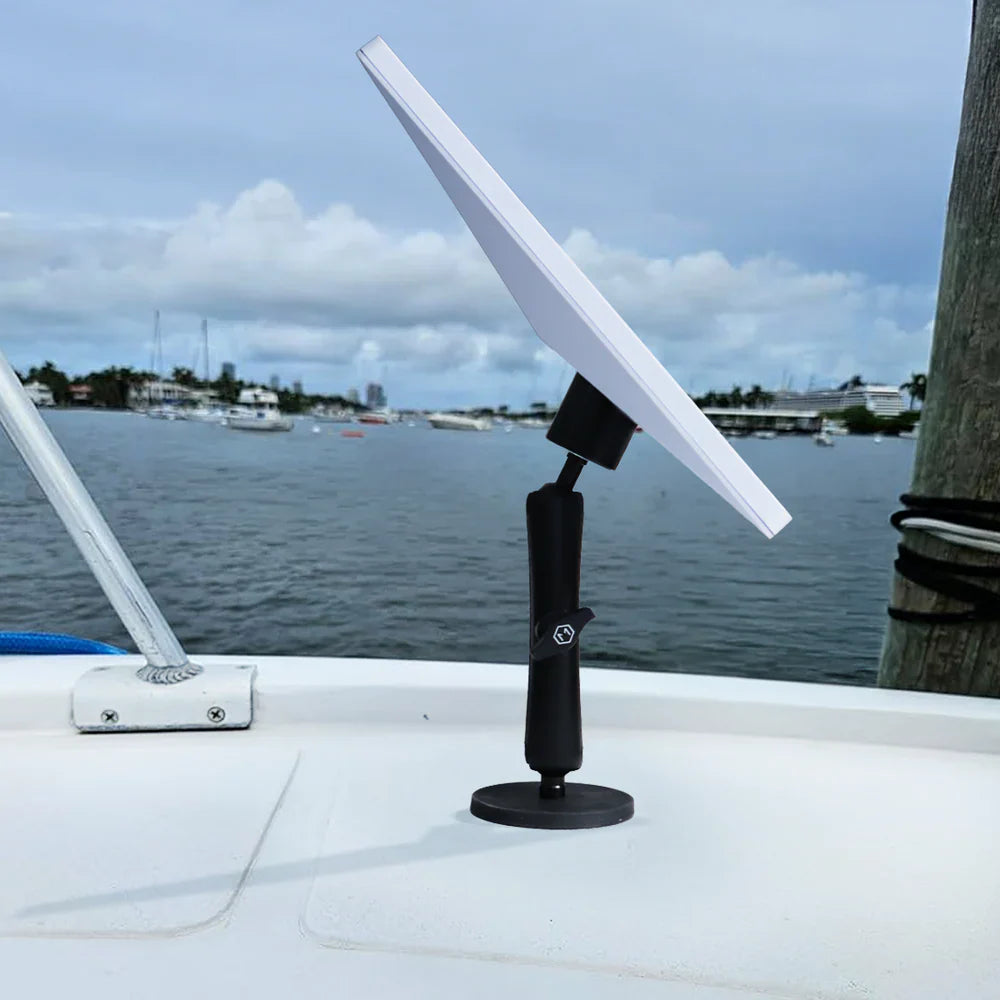
Most Starlink Mini mounting guides assume you've got a windshield to work with. But a huge share of the people actually deploying Starlink in the field — truckers, construction crews, agricultural operations, industrial job sites — are working with metal, not glass. Truck beds, equipment panels, steel toolboxes, trailer frames, machinery housings.
If your setup lives on or around a work vehicle, suction cups are often the wrong tool entirely, and clamps require a bar or rail that might not exist on your equipment. What you need is a mount that turns any flat steel surface into an instant, tool-free mounting point — which is exactly what a magnetic mount is built to do.
Why Magnetic Mounting Makes Sense for Work Vehicles and Equipment
Steel is everywhere on a work site, and that's the entire advantage. A magnetic mount doesn't need a specific accessory point, a drilled hole, or a glass surface — it needs a flat piece of metal, which most trucks, trailers, and equipment have in abundance. That translates into a few practical advantages that matter a lot in industrial and field settings:
-
No drilling, no adhesive, no permanent modification. This matters enormously for fleet vehicles, rentals, or equipment you don't want to alter.
-
Fast setup and teardown. Slap it on, position it, done — no tools, no waiting for adhesive to cure.
-
Strong holding power without visible hardware. A quality magnetic mount holds firmly enough for outdoor use and vibration without needing anything drilled or bolted.

Where the Magnetic Mount Fits
Our Heavy-Duty Magnetic Mount for starlink mini is designed specifically for this category of use — trucks, metal panels, and outdoor scenarios where a clean, tool-free installation matters more than anything else. It's built for situations like:
-
Construction and job site crews needing connectivity on-site without altering equipment or vehicles
-
Trucking and logistics operations that need Starlink deployed on cab exteriors or trailer surfaces during stops
-
Agricultural operations running Starlink off tractors, combines, or other steel-bodied equipment in fields far from cell coverage
-
Field service technicians who need to set up and tear down connectivity multiple times a day at different job sites
-
Anyone working around metal outbuildings, storage containers, or industrial structures where a flat steel surface is the only mounting option available
The One Thing to Know Before You Buy
Magnetic mount performance is entirely dependent on the surface it's attached to. A flat, clean piece of steel gives you maximum holding strength. A curved surface, a painted-over rust patch, or — critically — aluminum or fiberglass panels (which aren't magnetic at all) will undercut performance no matter how strong the magnet is.
Before mounting, it's worth doing a quick check: does a magnet actually stick firmly to the surface you're planning to use? If yes, you're set. If the surface is aluminum, fiberglass, or heavily textured, a magnetic mount isn't the right call — a suction or clamp-based mount would serve you better instead.
This isn't a flaw in magnetic mounting, it's just physics — and it's exactly why we build multiple mount types rather than pushing a single solution for every surface.
Built for Outdoor Use

Job sites and work vehicles don't get the gentle treatment a home office does. A magnetic mount in this environment needs to survive dust, rain, temperature swings, and the general abuse of daily field use — and hold its grip through all of it without gradually working itself loose. That's the entire design brief behind a heavy-duty magnetic mount: strong enough to trust in a working environment, simple enough to move between vehicles and equipment without a second thought.
Why This Matters More on a Job Site Than Anywhere Else
Downtime on a job site isn't just inconvenient, it's expensive. If your crew relies on Starlink for coordination, safety comms, or timekeeping software, a connection that drops because the dish shifted on a rough drive costs real time and real money. A magnetic mount that holds through the workday means one less variable to troubleshoot when things go wrong — and one more piece of infrastructure you can trust without thinking about it.