
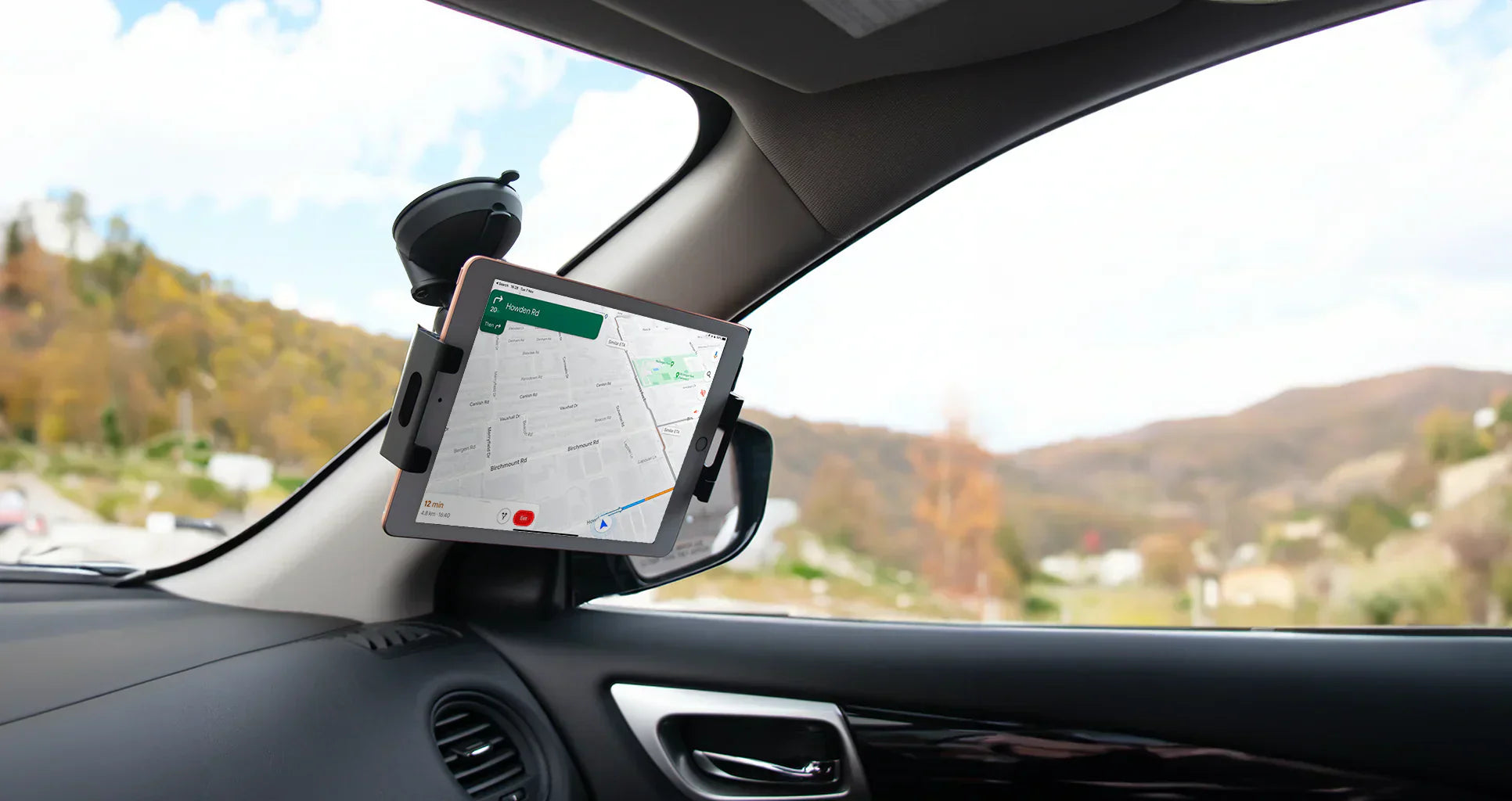
The Galaxy Z Fold costs over $1,800. A single drop — onto a car floor, against the centre console, or worse, out of a moving vehicle — can mean a cracked outer screen, a shattered inner display, or a damaged hinge that costs hundreds to repair. None of that is inevitable. Prevention comes down to the right mount, correctly set up and maintained. Here is exactly how to do it.
Step 1 — Start with a Mount Built for the Z Fold
Everything else on this list depends on this first decision. A standard smartphone mount was not designed to support the Z Fold's weight (over 250g) or its width when fully open (128mm+). Even if it seems to hold at first, the structural mismatch creates a failure waiting to happen — especially on bumpy roads or during hard braking.
You need a mount with a spring-loaded, adjustable grip engineered specifically around foldable phone dimensions. That means constant, even tension across the device body in both folded and unfolded states — not a fixed cradle that just happens to open wide enough.
Why spring-loaded matters: A quality spring mechanism maintains consistent grip pressure as the phone expands or contracts with temperature changes during a drive. A static clamp loses its tension over time. Springs don't.
Step 2 — Choose the Right Base for Your Vehicle
The holder gripping your phone is only as secure as the base it sits on. The right base depends on your vehicle and how permanent you want the install to be.
Cup Holder Base
Uses the structural integrity of your cup holder recess to anchor the mount. One of the most stable options for heavy devices — no adhesives, no suction, just a solid mechanical fit.
Triple Suction Cup
Three suction points spread the Z Fold's weight across a wide contact area on the windshield. The strongest glass-mounted option available.
VHB Adhesive Base
Industrial-grade adhesive bonds permanently to your dashboard. Once fully cured, it won't move — even on heavily contoured surfaces or in extreme heat.
AMPS Drill Base
Bolted permanently to the vehicle. Zero movement, zero vibration transfer. The standard for fleet vehicles, commercial drivers, and anyone who wants an installation that lasts years.
One base to avoid entirely with the Z Fold: air vent clips. Vent tabs are designed for phones under 200g. The Z Fold exceeds that, and plastic vent clips lose grip strength significantly in summer heat. It is not a reliable base for a device this heavy.
Step 3 — Seat the Phone Correctly in the Holder
How you place the phone in the mount makes a real difference to security. The grip arms should make firm, even contact with the top and bottom edges of the device — not the sides, and never near the hinge.
With a spring-loaded holder, let the mechanism do the work. Compress the arms, place the phone, and release smoothly so the springs seat against the device with consistent pressure on both sides. Dropping the phone in without controlling the spring release can cause the cradle to seat unevenly, leaving one side slightly looser than the other.
In landscape mode with the Z Fold fully open, double-check that the arms are gripping the top and bottom of the unfolded device — not pressing against the left and right edges, which can put lateral stress on the hinge over time.
Step 4 — Position the Mount Where It Won't Get Knocked
Even a perfectly secure mount can fail if it sits where it is likely to be bumped. A Z Fold mounted low on the dashboard directly in the path of your arm when changing gears is a problem waiting to happen. The same goes for a windshield position close to the A-pillar, where your arm naturally swings on tight turns.
"The right position keeps the phone in your sightline — without putting it in the path of your hands."
Think through your natural arm movements while driving — gear changes, indicators, reaching for climate controls. Your mount should sit clear of all of these while still keeping the screen easy to glance at without more than a momentary look away from the road.
Step 5 — Install the Base Properly
Each base type has specific installation steps that directly determine how well it holds. Skipping these is one of the most common reasons a mount fails mid-drive.
-
ASuction cup bases Clean the windshield surface with a dry, lint-free cloth before applying. Dust, oil, or any dashboard protectant on the glass can halve suction strength. Press the cup firmly and lock it down completely before loading the phone. In cold weather, warm the glass slightly first — suction cups bond significantly better above 10°C.
-
BVHB adhesive bases Clean and dry the surface thoroughly before applying. Press firmly for 30 seconds. Then wait at least 24 hours before mounting the phone — VHB adhesive continues to strengthen during this curing window. Loading it immediately after application can reduce its eventual hold strength by more than half.
-
CCup holder bases Expand the base to grip the walls of the cup holder firmly. Tighten any adjustment rings or locking screws until there is no lateral movement at all. Test by pushing the base sideways before loading the phone.
-
DDrill and AMPS bases Use the hardware provided and tighten to spec. Under-torqued bolts will gradually loosen from road vibration — check them every few months as part of regular maintenance.
Step 6 — Test at Low Speed Before You Trust It at Highway Speed
A mount that feels solid when you are parked will encounter forces that a stationary test cannot simulate — acceleration, braking, tight corners, speed bumps, and motorway vibration. Every new installation needs a real road test before you rely on it at speed.
After installing, take a slow drive around the block first. Accelerate gently, brake smoothly, take a moderate corner. If the phone stays perfectly still and the mount shows no flex or movement, you are ready. Drive over a single speed bump at around 20km/h — if the phone does not shift at all, the base is properly secured.
If anything moves, adjust and test again before committing to a longer drive.
Step 7 — Maintain the Mount Seasonally
A car mount is not fit-and-forget. Over months of driving, several things gradually degrade grip strength — and catching them early is far better than discovering the problem when your Z Fold hits the floor.
Clean suction cup discs with a damp cloth every few months. Dust and silicone residue from dashboard protectants are the biggest killers of suction strength — a clean cup can restore close to its original hold. Check spring tension periodically; if the arms feel noticeably looser than when new, it is time to replace the holder. After extreme temperature swings, re-test all suction and adhesive bases — thermal cycling is one of the main causes of long-term adhesive fatigue.
The Mighty Mount Z Fold Collection

Every Mighty Mount for the Galaxy Z Fold uses the same spring-loaded, adjustable, metal-and-plastic holder — paired with your choice of base to suit any car interior or use case.
Keep Your Z Fold Exactly Where You Put It
Spring-loaded, adjustable, metal and plastic built to last. Trusted by 2,600+ customers.
Shop Galaxy Z Fold Car Mounts →Preventing a drop comes down to one decision made once: getting a mount that was actually built for a device like the Z Fold. The right base, correctly installed, properly maintained — and your phone stays exactly where you put it on every drive.