
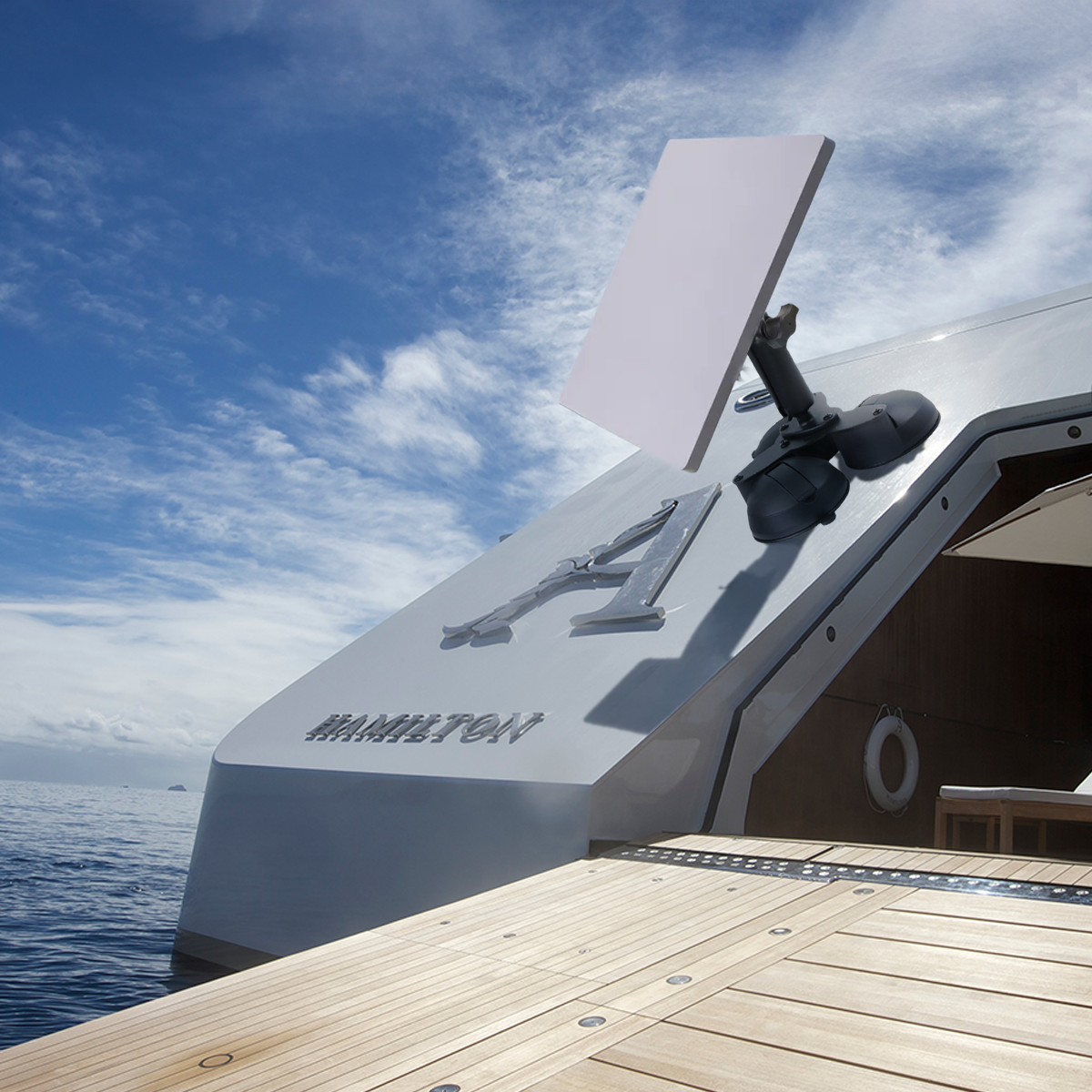
Starlink now serves more than 4 million customers across 100 countries, and that number is growing fast. But having great satellite internet and actually managing it well are two different things. Research shows that mobile Starlink users check their app signal data an average of 8 to 12 times per day during active use, and yet most are still doing it the hard way: phone in hand, one eye on the screen, one hand on whatever else needs doing.
There is a better way. This guide covers how to monitor your Starlink mini signal completely hands-free, what to watch for in the app, and which Mighty Mount works best for your specific setup.
Why Signal Monitoring Matters?
Starlink is not entirely set and forget. Signal quality shifts based on dish alignment, obstructions, weather, and satellite availability. The Starlink app gives you real-time data that can meaningfully improve your connection, but only if you can actually see it while you work.
The metrics worth keeping an eye on:
Signal Quality shows how cleanly your dish is communicating with satellites. Drops usually mean an obstruction or misalignment.
Obstruction Map builds a live picture of what is blocking your dish's sky view. This is the most useful screen to watch during installation or repositioning.
Latency and Speed fluctuate throughout the day. Passive monitoring helps you spot patterns and optimize usage timing.
Uptime and Alerts surface issues like overheating or outages the moment they happen, not after the fact.
When a Mounted Phone Changes Everything
During Installation Adjusting dish position while watching the obstruction map update in real time cuts setup time dramatically. Without a mount, you are constantly switching hands and losing your place.
In a Vehicle RV owners, overlanders, and van lifers need signal data visible during drives and at new campsites. A loose phone on a dash is not a solution. A properly mounted one is.
At a Remote Property Farmers and outdoor workers moving around a property on an ATV or bike need their app accessible throughout the day, not just at a fixed desk.
During Troubleshooting Repositioning a dish, clearing an obstruction, or checking cables while also watching the app is a two-hands job. A mount makes it a one-person job.
The Right Mighty Mount for Your Starlink Mini Setup
Mighty Mount's Starlink Mini mounts lineup covers every major use case. Here is how to match the right one to your situation.
Triple Suction Mount: Best for Vehicles

The three-point suction system distributes weight evenly across the glass surface, delivering the strongest and most vibration-resistant hold available for cars, vans, trucks, and RVs. If you are monitoring signal on the move or across rough terrain, this is the mount to have.
Dual Suction Mount: Best for Temporary Use

Compact, quick to install, and easy to reposition. Ideal for users who test signal at multiple locations and need a mount that travels as efficiently as they do.
Magnetic Mount: Best for Metal Surfaces

Attaches instantly to any compatible steel surface without tools or adhesives. The fastest setup available for trucks, equipment panels, and metal work structures.
Heavy Desk Mount Base: Best for Indoor Use

A weighted base that sits stable on any flat surface without suction or drilling. Built for home offices and stationary remote work setups where you want the app visible without a permanent installation.
Handlebar Mount: Best for Outdoor and Rugged Use

Clamps firmly to bike handlebars, ATV bars, poles, and rails. Holds steady underdemanding outdoor conditions where suction mounts are not an option.
Quick Handlebar Mount: Best for Portability

Tool-free attachment and removal in seconds. Built for users who move between locations frequently and need a mount that keeps up with the pace.
Phone Settings for Better Passive Monitoring
A mounted phone is only as useful as the screen staying on. A few quick adjustments make a big difference.
Turn off auto-lock during monitoring sessions so the screen does not go dark every minute. Check battery optimization settings and exclude the Starlink app so it stays active in the foreground. Use the app's real-time signal graph view for the clearest at-a-glance read on connection stability. For extended sessions, plug into a USB-C charger so battery is never the limiting factor.
A Simple Mobile Monitoring Workflow
For anyone using Starlink in a vehicle, this workflow takes about thirty seconds to set up and eliminates most of the friction around mobile signal management.
Before driving, confirm signal quality is strong and mount your phone on the windshield using the Triple Suction Mount. While driving, the app passively shows how signal changes across your route, helping you identify weak zones and find optimal parking positions at new stops. When you arrive, watch the obstruction map update as you position the dish before committing to a spot.
What used to require a second person or repeated stops now runs in the background while you focus on the road.
Signal Problems a Mounted Phone Helps You Catch Early
Obstruction creep from growing trees or seasonal foliage shows up gradually on the obstruction map. Passive monitoring catches it before it becomes a performance problem.
Post-drive dish misalignment is common after rough roads. A quick glance at the mounted phone after parking confirms whether the connection is strong before you need it.
Overheating alerts surface in the app the moment they happen. A mounted phone means you see them immediately rather than discovering them after extended downtime.
Intermittent outages that seem minor individually can add up to significant lost time. Keeping the app visible throughout the day gives you an honest picture of actual connection reliability.
Final Thoughts
The Starlink app gives you powerful real-time data. A phone mount makes that data actually usable while you work, drive, or manage your setup in the field.
Mighty Mount offers six purpose-built options covering every Starlink environment, from vehicle dashboards to metal panels to outdoor handlebars, all installing without tools in under a minute.
Browse the full Mighty Mount Starlink mount collection and find the right fit for how you use your dish.