
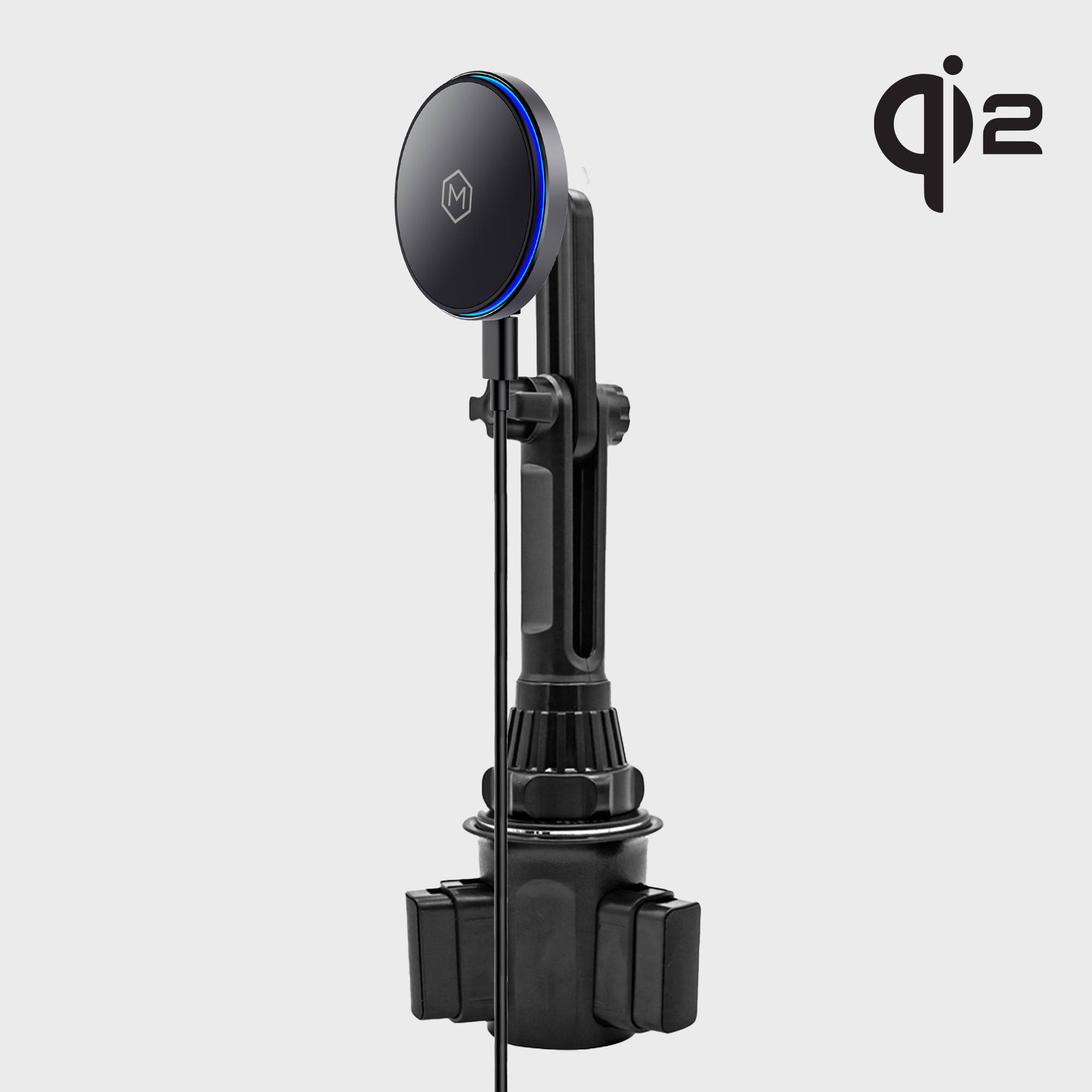
A cup holder wireless charger should do more than hold your phone and display a charging icon. It should keep your device secure, aligned, cool, and ready for navigation throughout the drive.
When a wireless car charger cup holder setup overheats, wobbles, loses connection, or stops working within months, the problem is often linked to the charger, the installation, or the way it is being used.
The good news is that each issue is easy to address. Here are seven common mistakes and practical ways to fix them.
1. Using a Weak or Unreliable Power Source
A premium wireless charger cannot deliver consistent performance through an unstable power connection. Many drivers connect a cup holder phone charger to an underpowered USB port, an aging adapter, or a damaged cable.
The result is slow charging, repeated charging interruptions, or a phone that loses battery even while mounted.
How to fix it:
- Use a quality USB-C cable that is in good condition.
- Pair the charger with a suitable vehicle power adapter.
- Check the charger’s required input before installation.
- Avoid loose USB ports that disconnect when the vehicle vibrates.
Fast wireless charging depends on the entire power chain, not only the charging head. A reliable adapter and cable help your charger perform as designed.
The Mighty Mount MagSwitch Qi2 Wireless Charger Cup Holder Mount is designed as a complete mounting and charging solution. It includes a Qi2 wireless charger head, cup holder base, USB-C to USB-C cable, and MagSafe ring.
2. Ignoring Heat From the Wireless Charging Pad
Wireless charging naturally produces heat. A hot vehicle interior, direct sunlight, thick phone case, or poorly aligned charging coil can increase that heat significantly.
You may notice your phone becoming hot, charging slowing down, or the charger stopping until the device cools. Repeated exposure to excessive heat is inconvenient and can place unnecessary stress on your phone battery.
The Smarter Fix: Control When Charging Is Active
The MagSwitch Qi2 charger includes a physical on/off switch. This allows you to use the mount for hands-free viewing without continuously charging the phone after it reaches the desired battery level.
Better charging habits include:
- Keep the phone out of direct sunlight when possible.
- Remove thick or metal-backed cases if charging becomes inconsistent.
- Keep coins, cards, and other objects away from the charging surface.
- Allow airflow around the phone.
- Stop charging if the phone or charging head becomes unusually hot.
The switch gives you practical control over your charging routine. Turn charging on when you need power and off when you simply need a secure phone mount.

3. Accepting Wobble From the Cup Holder Base
A cup holder mount is only useful when the base stays firmly in place. If the mount shifts during braking, cornering, or rough-road driving, your phone can move out of alignment with the charging coil.
Wobble also makes navigation harder to view and creates unnecessary movement in the phone, arm, and charging head.
A loose base is usually caused by one of three issues:
- The cup holder is too wide or too shallow for the mount.
- The base has not been tightened correctly.
- The mount uses low-quality materials or insufficient contact pressure.
How to fix it:
Choose a cup holder mount with an adjustable expanding base and grippy contact surfaces. Install it in a firm cup holder, then tighten the base until it holds securely without forcing the mechanism.
Mighty Mount’s cup holder systems are engineered for stability in real driving conditions. The adjustable base is designed to grip the cup holder, while the sturdy mounting structure helps reduce vibration and movement.
For larger devices, the Cup Holder iPad and Tablet Car Mount uses an adjustable base built for tablets and fleet vehicles. Its product page states that the base fits cup holders between 2.87 and 3.56 inches and is designed to remain stable on bumpy roads.
4. Failing to Align the Phone With the Charging Coil
Wireless charging requires precise positioning. If the phone sits too high, too low, or slightly off-center, charging may start and stop repeatedly.
This is one of the most common problems with a wireless car charger cup holder. A mount can appear to work perfectly while the phone slowly loses power because the connection is intermittent.
Magnetic alignment improves this experience. Qi2 technology helps compatible devices connect to the charging area more precisely, reducing the constant repositioning required by older wireless chargers.
How to fix it:
- Center the phone on the charging head.
- Use a MagSafe-compatible case or the appropriate magnetic ring.
- Confirm the charging indicator before driving.
- Keep the magnetic surface clean.
- Avoid metal plates between the phone and charger.
The MagSwitch Qi2 mount supports MagSafe-compatible iPhones and cases. With the correct case or ring, the magnetic connection holds the phone in portrait or landscape orientation while maintaining alignment.
5. Assuming Every Phone and Case Is Compatible
A magnetic cup holder phone charger is not automatically compatible with every device. MagSafe mounting is optimized for devices and cases with the correct magnetic alignment.
A thick, metal, or incorrectly positioned case may prevent the phone from attaching securely or charging efficiently. Some Android phones may require a MagSafe-compatible case or magnetic ring for the best mounting experience.
How to fix it:
Before purchasing, confirm:
- Your phone model.
- Whether it supports MagSafe or Qi2.
- Whether your case is MagSafe-compatible.
- Whether the case contains metal or a non-standard magnetic plate.
- Whether a magnetic ring is included or required.
Mighty Mount includes a MagSafe ring with the MagSwitch Qi2 cup holder bundle, helping expand compatibility for suitable devices and cases. Always check the product specifications before adding the charger to your cart.
6. Overlooking Signal Interference
A wireless charger contains electronics that operate close to your phone, vehicle systems, and other communication equipment. Poorly designed or poorly shielded hardware can contribute to signal interference, reception issues, or inconsistent device performance.
This is particularly frustrating for drivers who depend on navigation, Bluetooth calls, mobile data, or fleet applications throughout the day.
How to fix it:
Select a reputable charger built around recognized wireless charging standards. Use a quality cable, avoid damaged power accessories, and keep unnecessary metal objects away from the charger.
Qi2 certification provides a clearer performance standard than choosing an unbranded charger based only on price. Mighty Mount develops its products around stability, precise alignment, durable construction, and dependable everyday use rather than short-term convenience.
For additional wireless charging troubleshooting, review Samsung’s wireless charging support guidance, which also recommends checking alignment, cases, foreign objects, and power connections.
7. Replacing the Entire Mount When One Part Fails
Many drivers treat a phone mount as one fixed product. When they change vehicles, upgrade the phone, or need a different mounting position, they replace the entire system.
That approach adds unnecessary cost and makes it harder to standardize equipment across multiple vehicles.
Mighty Mount takes a different approach with its proprietary 16mm modular ball-joint ecosystem.
The practical benefit:
- One ecosystem: Use compatible components across multiple mounting points.
- Faster vehicle changes: Move a device between vehicles without replacing the complete setup.
- Simpler upgrades: Change a base or holder as your needs evolve.
- Lower replacement costs: Keep the parts that still work.
- Fleet-ready standardization: Equip multiple vehicles with a consistent mounting system.
The 16mm ball joint is engineered for a secure fit and stable connection. It also gives commuters, professional drivers, and fleet operators more flexibility over time.

Why Choose Mighty Mount for Your Cup Holder Wireless Charger?
A dependable charger should solve the problems that affect daily driving:
- Stable mounting: Adjustable bases help reduce wobble and vibration.
- Precise alignment: Qi2 and MagSafe compatibility support a secure connection.
- Controlled charging: The MagSwitch on/off button lets you decide when wireless charging is active.
- Durable construction: Premium materials are designed for daily use and demanding conditions.
- Modular flexibility: The 16mm ball-joint ecosystem supports future mounting changes.
- Straightforward installation: Tool-free setup gets your device ready quickly.
Founded and headquartered in Toronto, Canada, Mighty Mount was created by mobile-industry veterans with extensive experience in product design and engineering. Our approach is user-centric: identify everyday problems, engineer a practical solution, and build it for reliable use on the road.
Solid Performer
“Very stable and easy to use. Exactly what I needed for my truck.” : Natalie C.
Great Durability
“The build quality feels durable. Definitely made for heavy use.” : Ryan S.
Make Your Next Drive More Reliable
Your cup holder should not be the weak point in your charging setup. Choose a wireless car charger cup holder mount that stays stable, aligns accurately, manages charging intelligently, and supports your routine over the long term.
If you use a MagSafe-compatible iPhone or case, view the MagSwitch Qi2 Wireless Cup Holder Mount. For a non-charging setup, explore the complete Cup Holder Mount collection.
Check compatibility, select the right power adapter, install the base securely, and upgrade your drive with a premium mounting system built for real life.